
🧩 Opening anecdote
Three weeks into launch day, Priya’s team discovered their new internal “email summarizer” produced wildly inconsistent lengths — sometimes a 2-line TL;DR, sometimes a 700-word novella. The engineer who’d built the original rule-based summarizer reached for if/else logic. The product manager reached for the LLM prompt. Two approaches. Both worked in pockets. Neither scaled. What saved the day was treating prompts like software artifacts (tests, templates, and versioning) and adding light orchestration around the LLM — not swapping one hack for another.
Why this story matters: you’ll see this exact tension across teams today — do you keep writing brittle rules or learn to design prompts and systems around probabilistic models?
Editor's Note: You can safely test the techniques in this guide using the PROMPT_ENGINE AI Prompt Generator. It is fully client-side and secure—your prompts never leave your browser and are never stored or used for AI training.
🔎 Background & context
Large Language Models (LLMs) have moved from toy labs to production: they power search, summarization, code assistants, and customer support. Industry primers and platforms now treat “prompt design” as a first-class engineering discipline. Governments, consultancies, and major cloud vendors publish guides and best practices because organizations need reliable, safe, and maintainable ways to use LLMs. (OpenAI Platform)
🧠 High-level difference
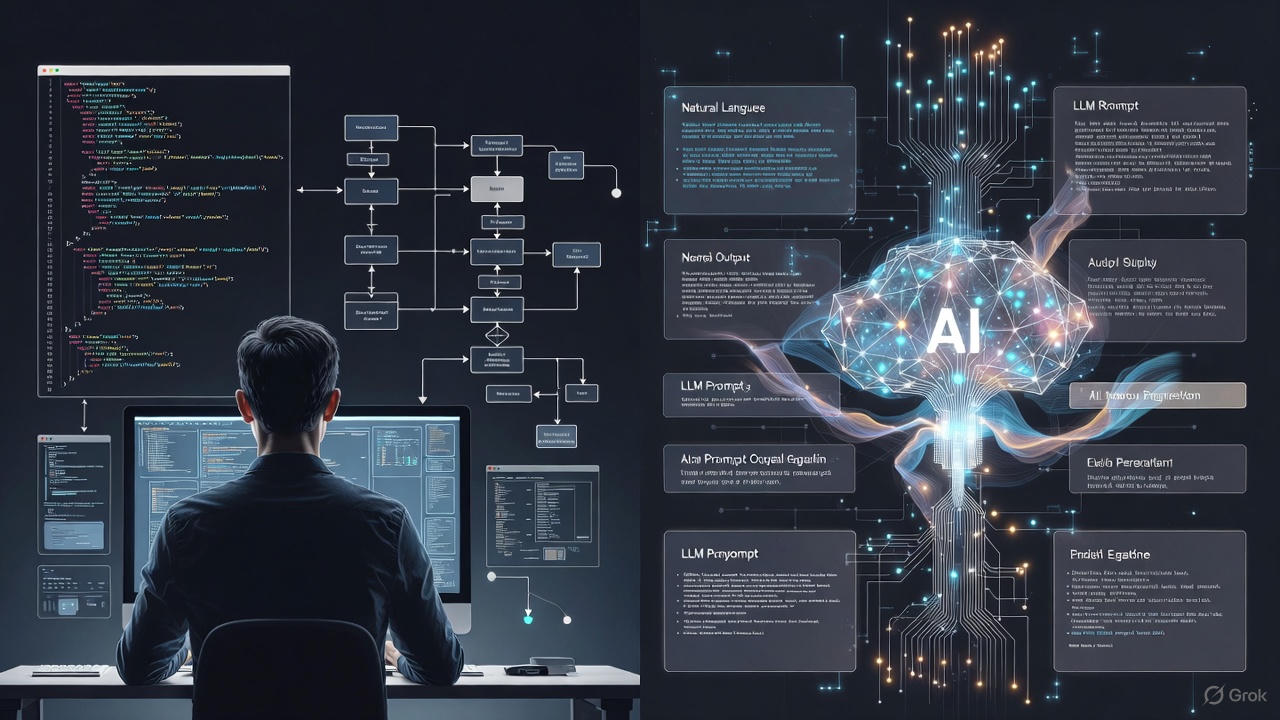
Traditional programming = you write formal instructions for a deterministic machine. Prompt engineering = you craft natural-language inputs and orchestrations for a probabilistic model that interprets your intent and returns outputs. (InfoQ)
🧭 Core concepts
🔁 1) Determinism vs. probabilistic outputs
- Traditional code: deterministic (same inputs → same outputs, modulo environment).
- LLMs: stochastic — temperature, model version, context, and hidden training biases influence outputs. You must design for variability (tests, scoring, fallbacks). (InfoQ)
Practical tip: Add output validation (schema checks, unit tests for sample prompts) and a deterministic post-processor (e.g., canonicalizers).
✍️ 2) Specification style: formal vs. communicative
- Programmer: precise syntax, types, contracts.
- Prompt engineer: instructive natural language, demonstration examples, constraints, and “persona” cues. Use system messages, few-shot examples, and tool calls to shape behavior. OpenAI and cloud vendors publish explicit prompt formats and best practices. (OpenAI Platform)
Example (prompt template):
System: You are an expert product summarizer.
User: Summarize the following email in 2–3 bullet points. Keep action items first.
Input: <email text>
(That’s not code to run — it’s a template you version and test.)
🔄 3) Iteration loop: compile/test/deploy vs. prompt-tweak/test-observe
- Software dev: compile → unit/integration tests → CI/CD.
- Prompts: rapid human-in-the-loop iteration; A/B test prompt variants, track model versions, measure answer quality (accuracy, hallucination rate, usefulness). Tools and metrics are emerging to make this systematic. (arXiv)
Warning: “Quickly tweak until it looks right” is brittle. Instrument with metrics.
🧩 4) Abstractions & components
- Programming: modules, functions, libraries, types.
- Prompting: templates, chains (multi-step prompts), tool-augmented prompts (LLMs + search/databases), and wrappers (RAG — retrieval-augmented generation). These are the new “libraries.” (Amazon Web Services, Inc.)
🔒 5) Safety, security & adversarial concerns
LLMs can be manipulated (prompt injection, data-poisoning) and hallucinate facts. Production systems must include sanitization, verification, and provenance checks. Investigations show LLM-connected search can be manipulated by hidden content; defend accordingly. (The Guardian)
⚙️ How to adapt — practical roadmap (for engineers)
Phase 0 — Mindset shifts
- Move from “write exact code” → “design robust intent artifacts.”
- Treat prompts as first-class tests: versioned, reviewed, and covered by unit tests using sample inputs/expected outputs. (arXiv)
Phase 1 — Learn the primitives
- Study system messages, few-shot examples, chain-of-thought, and temperature/top-k settings.
- Learn RAG, tool usage, and output validation libraries. (OpenAI, AWS, and vendor docs provide concrete recipes.) (OpenAI Platform)
Phase 2 — Build reliable wrappers
- Create deterministic post-processing (parsers, type checkers) for model outputs.
- Implement scoring functions (semantic similarity, factuality checks, heuristics).
- Add human-in-the-loop approval for high-risk outputs.
Phase 3 — Productionize
- Version prompts together with model versions. Store prompt templates in source control and track eval metrics per change.
- Develop CI checks that run prompt test suites against a sandboxed model (or mocked responses). (arXiv)
✨ Best practices & common pitfalls
Best practices
- Use explicit constraints in prompts (length, format). (OpenAI Help Center)
- Prefer few-shot examples for complex tasks. (OpenAI Platform)
- Add retrieval for up-to-date facts (RAG) instead of trusting model memory. (Amazon Web Services, Inc.)
- Version, test, and monitor prompts just like code. (arXiv)
Common pitfalls
- Over-trusting a single “gold” prompt — small context changes break behavior. (Medium)
- Not instrumenting outputs — invisible drift and silent failures happen. (arXiv)
- Treating LLMs as fact databases — they can hallucinate. Use RAG and verification.
🧪 Mini case study — “Customer Support Snippets” (realistic, representative)
Challenge: A SaaS company wanted concise, consistent, branded replies for common support queries. Approach:
- Built prompt templates with brand voice, explicit constraints, and 5 few-shot examples.
- Added a retrieval layer for user account facts (RAG).
- Created a QA pipeline: prompt test suite (50 sample tickets) + automated semantic-scoring vs. human-labeled gold. Outcome: Faster response generation, 40% reduction in average time-to-draft, but required ongoing prompt maintenance and a human fallback for ambiguous tickets. (This workflow aligns with vendor best practices and research into prompt programming as a software discipline.) (Amazon Web Services, Inc.)
✅ Actionable checklist (what to try this week)
- Create a repo folder
prompts/and add templates + README. - Write 10 unit tests: input ticket → expected bullet points. Run against a dev model or mocked outputs.
- Add output validators (JSON schema for structured outputs).
- Run A/B tests on 2 prompt variants for one high-value workflow.
- Instrument metrics: length, semantic similarity to human answer, hallucination incidents.
FAQ (10 common questions)
-
Is prompt engineering “just” writing better prompts? No — it’s designing reproducible, testable artifacts and systems for LLMs; think templates + orchestration + validation. (arXiv)
-
Do I need ML skills to do prompt engineering? Helpful but not mandatory. Communication, domain expertise, and testing discipline matter a lot. Many successful prompt engineers come from PM/UX backgrounds. (Coursera)
-
Are prompts a replacement for code? Not entirely. Prompts can replace some scripting or glue code, but complex systems still need orchestration, business logic, and validation—so code and prompts coexist. (InfoQ)
-
How do we prevent hallucinations? Use retrieval (RAG), fact-checking modules, and human review for critical outputs. Instrument and monitor drift. (Amazon Web Services, Inc.)
-
Should prompts be stored in Git? Yes — version prompts, pair them with tests, and link them to deployable model versions. (arXiv)
-
How to measure prompt quality? Use human-labeled scores, semantic similarity metrics, hallucination counts, and conversion/engagement signals for product flows. (arXiv)
-
Are there standards for prompts? Not universal yet. Many teams adopt internal templates (system messages, few-shot sections, constraints) and follow vendor guides (OpenAI, AWS). (OpenAI Platform)
-
Can non-developers do this? Yes — with oversight. Domain experts and writers often craft excellent prompts; engineers build wrappers and tests. (lakera.ai)
-
Is prompt engineering a lasting skill? Early evidence suggests it’s an evolving discipline that will remain relevant as LLMs become more integrated; expect tools and higher-level abstractions to emerge. (Frontiers)
-
Where to learn? Start with vendor guides (OpenAI prompt guide), DAIR.AI prompt repos, and hands-on practice with RAG and small test suites. (OpenAI Platform)
🏁 Conclusion — key takeaways
- Prompt engineering is not magic copy-paste of queries; it’s a software-like discipline with its own artifacts, tests, and lifecycle. (arXiv)
- Treat prompts as versioned, testable, and monitored pieces of your product.
- Use retrieval, validators, and human-in-the-loop for critical workflows.
- Learn the primitives (system messages, few-shot, chains) and build reliable wrappers around them.
🗂️ Quick Glossary (refined)
- RAG (Retrieval-Augmented Generation): Combine search/retrieval with LLM generation to ground answers in external documents. (Amazon Web Services, Inc.)
- Few-shot prompting: Giving the model a few example input→output pairs inside the prompt to teach format and style. (OpenAI Platform)
- System message: A special instruction layer (in chat APIs) that sets model behavior/persona. (OpenAI Platform)
- Hallucination: When the model invents facts not supported by training or retrieval sources. Use RAG/verification to mitigate. (The Guardian)
🧪 Prompt test example (template)
- Goal: 2–3 bullet summary of an email, action items first.
- Test case (human gold): Input email → Expected bullets: ["Action: X", "Context: Y", "Next step: Z"]
- Metrics to collect: semantic similarity score (e.g., embedding cosine), length deviation, hallucination flag (any invented named entity).
- Interpretation: If similarity < 0.8 or hallucination flag true, fail the test and log the prompt + model version for triage. (arXiv)
🚀 Professional Prompt Engineering with PROMPT_ENGINE
Stop manually tweaking your prompts for every different model. Use the PROMPT_ENGINE AI Prompt Generator to apply standardized techniques instantly across GPT-4o, Claude 3.5, and Gemini Pro.
🛡️ Secure, Private & Local-First
- 100% Client-Side: No data is sent to our servers. All processing happens locally in your browser.
- Privacy-First: Your proprietary prompts are never stored, logged, or used for model training.
- Zero Latency: No account required. Just a fast, secure environment for your AI workflow.
Supported Frameworks & Techniques:
The PROMPT_ENGINE library includes a massive range of standardized templates, including:
- Chain-of-Thought (CoT): Force models to think step-by-step for complex reasoning.
- Few-Shot & Multi-Shot: Align tone and output using your own local examples.
- ReAct & Self-Ask: Structured templates for agentic workflows and tool-use.
- Persona & Role-Play: Calibrate model expertise for specialized professional tasks.
- Structured I/O: Standardized JSON, Markdown, and XML formatting for developers.
- And many more... including Meta-Prompting and Automatic Reasoning frameworks.
Access the PROMPT_ENGINE Prompt Library →
Free for the community • Industry Standard • 100% Secure